Best Chord Progression Generators in 2026, Honestly Compared
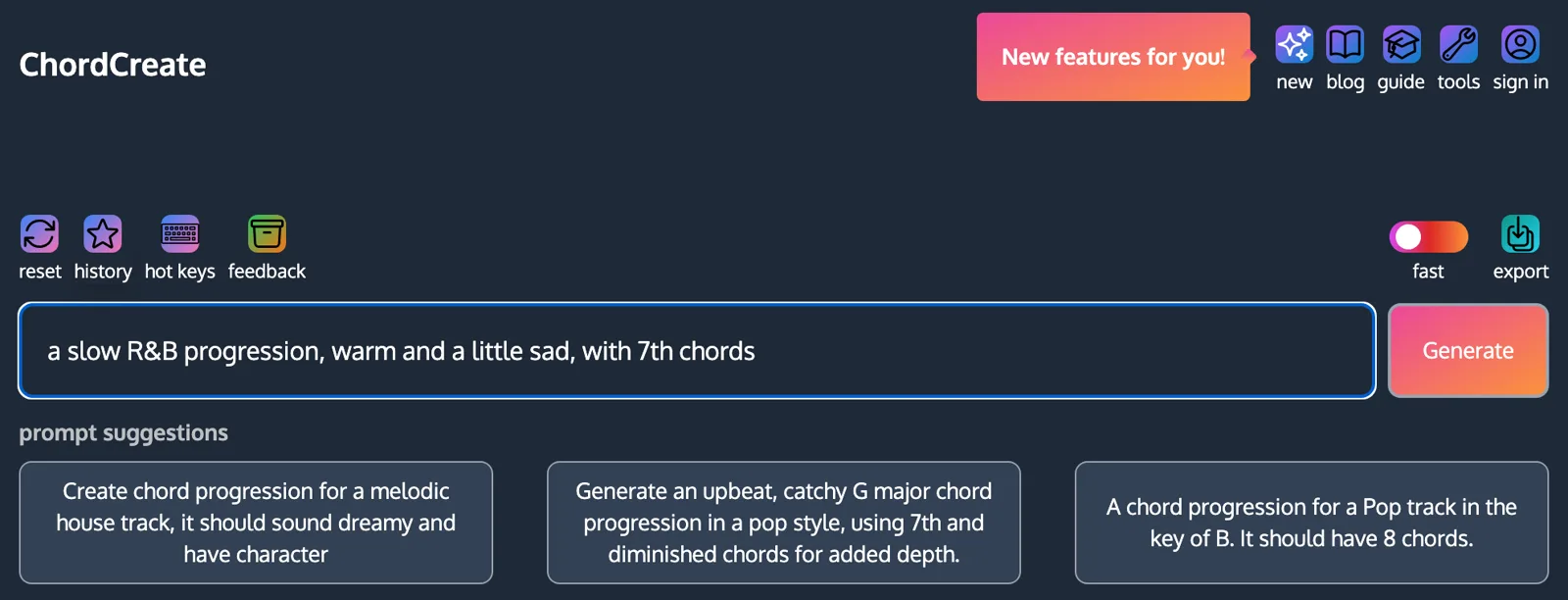
The best chord progression generator depends on where you write. If you want to describe a sound in words and hear chords in the browser, use a prompt-based tool like ChordCreate or ChordChord. If you want theory help while you sketch a song, use Hookpad. If you already live inside a DAW and will pay once for a plugin, Scaler 3 is the deepest option, with Captain Chords close behind for producers who want drums and melody in the same suite.
A disclosure before anything else: we make ChordCreate, and it is on this list. We have tried to hold it to the same standard as everything else here, including saying where it is the wrong choice. Everything we say about the other tools comes from their own product and pricing pages, and every price below was checked on 11 September 2026, from the vendor’s own page wherever the vendor publishes one. Where we could only confirm a price from a retailer or a review, we say so. Prices in this category change often, so treat them as a starting point and check before you buy.
The short version
| Tool | Runs in | How it generates | MIDI export | Price (checked 11 Sep 2026) |
|---|---|---|---|---|
| ChordCreate | Browser | Text prompt, AI | Paid plan | Free to generate, $5.99/month for export |
| ChordChord | Browser | Text prompt, AI, plus drums and melody | Yes | Pro $27/month |
| Hookpad | Browser | You write, it suggests the next chord | Paid version | One-time licence, limited free version |
| Chord Sequence | Browser | Library of common progressions in any key | Yes | Free |
| AutoChords | Browser | Pick a progression type and key | Not confirmed | Free |
| Scaler 3 | DAW plugin | Chord sets by mood, artist and genre, key detection | Yes | $99 list |
| Captain Chords | DAW plugin | Presets, “magic buttons”, large progression library | Yes | One-time purchase |
| LANDR Composer | DAW plugin | AI, plus basslines, melodies and arps | Yes | $149, or via LANDR Studio from $8.25/month |
Three kinds of generator, and why it matters which one you pick
Almost every tool calling itself a chord progression generator does one of three different jobs, and most disappointment comes from picking the wrong kind.
Rule-based and random generators pick chords that belong to a key and put them in an order that works. The result is always “correct” and often generic. A random progression in C major will very often come out as some shuffle of the same four diatonic chords:
Nothing wrong with it. It is also the progression behind a large share of pop music, which is exactly the problem if you wanted something with character.
Library and preset generators give you hand-picked progressions, sorted by genre, mood or artist, that you audition and drag into your project. The quality ceiling is higher because a musician chose each one. The limit is that you are browsing, not describing.
Prompt-based AI generators let you say what you want in words (“slow R&B, warm, a little sad, with 7th chords”) and return chords aimed at that description. For that prompt you would hope for something closer to this than to the four chords above:
Both players are illustrations of the categories, not output from any particular tool. The point is the gap between them: a prompt lets you ask for the 7th chords and the mood directly instead of hoping a randomiser lands there.
Decide which of those three jobs you actually need before comparing features. A producer who wants to drag MIDI into Ableton at 2am and a songwriter trying to understand why a chorus lifts are not shopping for the same thing.
Browser-based generators
Browser tools cost nothing to install, run on any laptop or phone, and are the fastest way from “I need chords” to hearing some. The trade-off is that most of them hand you a MIDI file rather than living inside your DAW.
ChordCreate: describe the sound, hear the chords
ChordCreate is a chord progression generator built around a single text box. You describe what you want in plain language, including key, genre, mood and tempo if you know them, and it returns a progression you can play back on several instruments, loop at any BPM and time signature, and edit note by note in a sequencer.
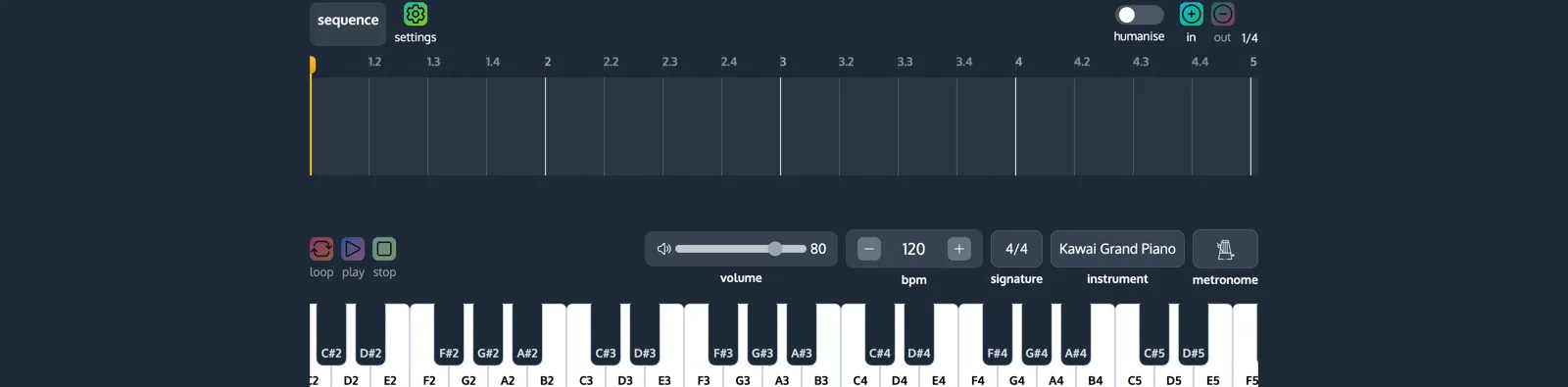
What it does well: the prompt is the whole interface, so there is nothing to learn before you get a result. It is free to generate without making an account, which almost nothing else on this list offers. If you want to get better at the prompts themselves, we wrote a separate guide to generating a chord progression from a text prompt.
Where it falls short: MIDI and WAV export, the humanise option and the full instrument list sit behind the paid plan ($5.99 a month, or a free 24-hour day pass with no card). It generates chords only: no drums, no melody, no bassline. And it does not run as a plugin, so the last step into your DAW is always a file drag.
Best for: songwriters and producers who know the feel they want but not the chords, and want to hear options in seconds.
ChordChord: prompt to a full demo
ChordChord also generates from a text prompt, and goes further than chords. Its “Prompt-to-Demo” feature writes a progression and can add drums and a melody, and the Pro plan exports MIDI for each part, WAV stems and a full-mix MP3. According to its pricing page, Pro is $27 a month with 5,000 prompts, and a 30-day trial costs $9.99.
What it does well: if you want a rough backing track, not just harmony, it covers more ground than any other browser tool here.
Where it falls short: it is the most expensive browser option by a distance, and if all you need is chords you are paying for drums and melody you will not use.
Best for: producers who want a sketch of a whole loop to react to.
Hookpad: a generator that teaches you
Hookpad, from Hooktheory, is closer to a songwriting sketchpad than a generator. You enter chords by scale degree (the Roman numerals covered in our time-tested progressions guide) and a melody on top, and it suggests chords that tend to come next, drawing on Hooktheory’s analyses of real songs.
We could not load Hooktheory’s store page on the day of writing, so we cannot quote its price first-hand. Independent reviews in 2026 describe a limited free version and a one-time paid licence rather than a subscription. Check hooktheory.com for the current figure.
What it does well: it shows you why a progression works, not just that it does. Nothing else here is as good for learning.
Where it falls short: it expects you to drive. If you want a finished progression handed to you, the other tools are faster.
Best for: songwriters who want to understand their chords and write melody at the same time.
Chord Sequence: common progressions in any key, free
Chord Sequence plays well-known progressions (pop, jazz, neo-soul, gospel and more) in any key, shows the voicings, and exports MIDI and WAV for free, with no account, according to its own site. It is a library rather than a generator in the strict sense: you pick a known progression and transpose it, rather than getting something new.
Best for: getting a standard progression into your DAW in a specific key without paying anything.
AutoChords: the quickest lookup
AutoChords is the simplest tool here. Pick a progression type and a key, and it shows the progression, some alternatives worked out from the circle of fifths, and every chord in the key. There is a randomise button.
We could not confirm playback or MIDI export on its site, so treat it as a reference that shows you chords rather than an instrument that plays them.
Best for: guitarists who want a progression in an easy key right now and will play it themselves.
DAW plugins
Plugins run inside Ableton, Logic, FL Studio and the rest, so generated chords land directly on your track. That tighter loop is the reason to pay for one. The catch is price, a learning curve, and needing a DAW in the first place.
Scaler 3: the deepest toolkit
Scaler 3 detects keys, scales and chords from both MIDI and audio, which is useful when you are writing over a sample. It ships with more than 1,000 chord sets organised by mood, artist and genre, and its Motions library turns a progression into arpeggios, basslines and melodic phrases. It runs as VST, VST3, AU and AAX on macOS and VST, VST3 and AAX on Windows, and there is a free trial. Plugin Boutique lists it at $99, and it is frequently discounted.
Where it falls short: there is a lot of it. Expect to spend an evening learning where things are before it speeds you up.
Best for: producers who want one harmony tool for years and do not mind the depth.
Captain Chords: part of a writing suite
Captain Chords is one of five Mixed In Key plugins sold together as Captain Plugins Epic, alongside tools for melody, bass, drums and playback. Mixed In Key describes access to more than 96,000 chord progressions, “magic buttons” for generating new ones, and humanise controls for space, strum and swing. Its own page says it is “not a subscription, just a one-time payment”. Coverage of the version 7 launch lists Epic at $99.
Where it falls short: its biggest strength is the suite. If you only want chords, you are buying four other plugins.
Best for: producers who want chords, bass, melody and drums that all stay in key with each other.
LANDR Composer: AI inside the DAW
LANDR Composer generates chord progressions along with basslines, melodies and arpeggios, handles extended chords and inversions across the standard keys and modes, and includes more than 100 sound presets. It runs as VST3, AU and AAX. It is included in LANDR Studio subscriptions, which start at $8.25 a month on LANDR’s site. Music-tech coverage lists the standalone plugin at $149.
Where it falls short: the best value is through a LANDR Studio subscription, which makes most sense if you would use LANDR’s other services too.
Best for: producers already paying for LANDR, or who want AI generation without leaving the DAW.
Which one should you use?
- You want chords from a description, free, right now: ChordCreate.
- You want a whole rough loop, not just chords: ChordChord.
- You want to learn why progressions work while you write: Hookpad.
- You want a standard progression in your key as free MIDI: Chord Sequence.
- You live in a DAW and want the most complete tool: Scaler 3.
- You want chords, bass, melody and drums that agree with each other: Captain Plugins Epic.
- You already pay for LANDR: LANDR Composer.
A reasonable combination is a free browser tool for finding ideas and a plugin for the production stage. Plenty of producers find a progression by describing it in a browser, then rebuild the voicing in their DAW.
What no generator does for you
Every tool on this list gets you to a set of chords. None of them decides how those chords are voiced, where they sit in the bar, or what the rest of the arrangement does around them, and those choices change a progression more than swapping a chord does. Our house chord progressions guide shows how the same four chords sound like pop or like house depending on voicing and rhythm alone, and the sad chord progressions guide shows how a change of chord quality moves the mood without changing the roots.
So judge a generator by how quickly it gets you to something worth shaping, not by whether its first result is finished. None of them will be.
Quick answers
What is the best free chord progression generator? For generating from a description, ChordCreate is free to use without an account; export needs the paid plan. For free MIDI of standard progressions in any key, Chord Sequence exports without an account. AutoChords is free for quick lookups.
Do I need a plugin, or is a browser generator enough? A browser generator is enough for finding ideas and exporting MIDI. A plugin is worth paying for when you want chords generated directly on a DAW track, or tools like key detection from audio that browser tools do not offer.
Can ChatGPT generate chord progressions? It can write chord names as text, and they are often reasonable. It does not play them to you as part of the answer, so you still have to put them into an instrument or DAW to find out whether they sound right, which is the step a dedicated generator removes.
Can I export a generated progression to my DAW? Every tool here except AutoChords exports MIDI in some form, either as a file you drag into your DAW (browser tools) or directly on a track (plugins). ChordCreate exports MIDI and WAV on its paid plan.