Guitar Chord Progression Generator: Chords You Can Actually Play
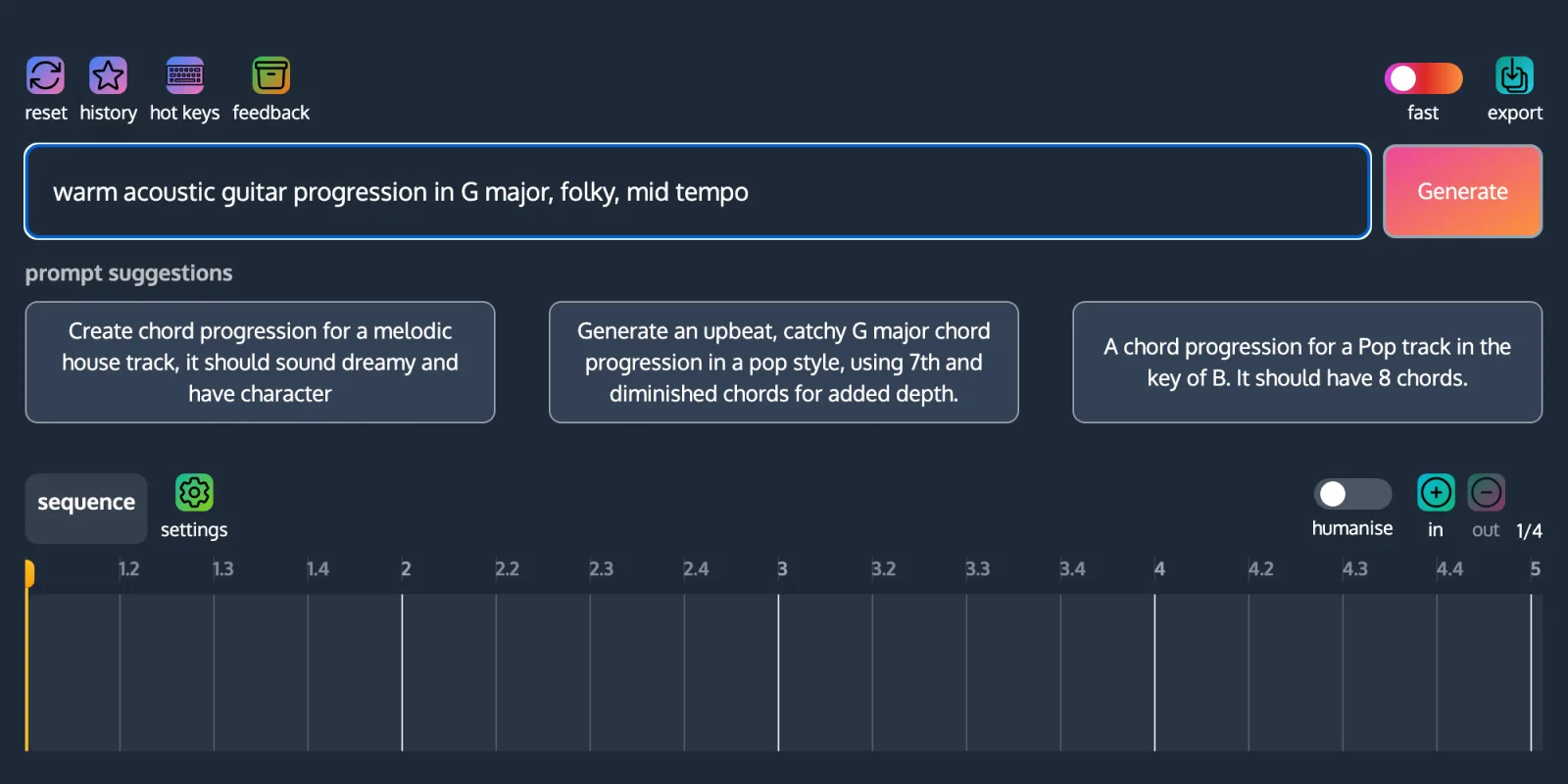
A chord progression generator gives you a sequence of chord names, in a key, that are known to work together. As a guitarist you take those names and play them with whatever voicings you already know, which is why a generator is useful even when it was not built around a fretboard. ChordCreate’s generator takes a written prompt, returns a progression with the exact notes in every chord, plays it back through an acoustic guitar sound if you want it to, and exports the whole thing as MIDI.
The honest catch is worth stating up front, because it decides whether this is the right tool for you. ChordCreate shows chords on a piano keyboard, not a fretboard. You get chord names, notes and sound, not tab or box diagrams. If what you actually want is a picture of where to put your fingers, a dedicated fretboard tool will serve you better. If you want ideas that are already in a sensible key and already sound good together, read on.
What a generator gives you that a chord chart does not
A chord chart is a lookup: you arrive knowing the chord name and leave knowing the shape. A generator works the other way round. You arrive with a feeling, a genre or a half-written verse, and leave with a sequence.
That difference matters most in three situations:
- You are stuck on the same four chords. Every guitarist has a default loop their hands fall into. A generator interrupts that by handing you chords you would not have reached for, in a key you can still play.
- You need a progression to fit a melody you already have. Ask for something in the key the melody sits in, and you get options that work under it rather than fighting it.
- You want the chord to be more than a triad. Generated progressions reach for Cadd9, Em7 and Asus4 far more readily than most players do, and on guitar those are often easier than the plain versions, not harder.
Generating a progression in a guitar-friendly key
The prompt is where you make the result playable. ChordCreate accepts a plain-English description, so say the instrument and the key rather than hoping for the best:
warm acoustic guitar progression in G major, folky, mid tempo
Naming the key is the single highest-value word in that prompt. Guitar is not key-neutral: G, D, A, E, C, Em and Am put most of the chords in open position, where strings ring against fretted notes and the instrument sounds like itself. Ask for Db major and you will get a musically fine progression that is a wall of barre chords. Two of those keys have one awkward chord each, and both have a standard way out: in C major the IV chord is F, and in E major the V chord is B. Neither has an open-position voicing, so guitarists reach for Fmaj7 and B7 instead. Both are in the table below.
If you are new to writing prompts, our guide to generating chord progressions from a text prompt covers what to include and what the generator ignores.
Turning the chord names into shapes
You will get back something like G, Cadd9, D, Em. Here it is:
Most generated chords map onto shapes you already own. These are the ones worth having ready, written as string numbers from low E to high E:
| Chord | Shape | Why it comes up |
|---|---|---|
| G | 320003 | The home chord of the most guitar-friendly key |
| Cadd9 | x32033 | A neighbour of G’s fuller voicing, and it rings |
| D | xx0232 | Open and bright |
| Dsus2 | xx0230 | Lift one finger off D |
| Dsus4 | xx0233 | Add one finger to D |
| Em | 022000 | The easiest chord on the instrument |
| Em7 | 022030 | Em with more air in it |
| Am | x02210 | The minor workhorse |
| Asus2 | x02200 | One finger off A |
| Asus4 | x02230 | One finger onto A |
| Fmaj7 | xx3210 | The way out of barring F in C major |
| B7 | x21202 | The way out of barring B in E major |
That last row solves the most common complaint about generated progressions in C major. When a progression asks for F and your barre chord is not ready, Fmaj7 (xx3210) covers the same harmonic job with four fingers on four strings. It is not identical, the major seventh is a genuinely different colour, but in a I-V-vi-IV loop it works.
The G to Cadd9 move is worth a sentence on its own, because it explains why Cadd9 appears in so much acoustic guitar music. Play G as 320033 rather than 320003, and moving to Cadd9 (x32033) changes two fingers while the top two strings keep ringing at the third fret through both chords. The generator does not know that. It picks Cadd9 because it likes the sound. You get the easy fingering as a bonus.
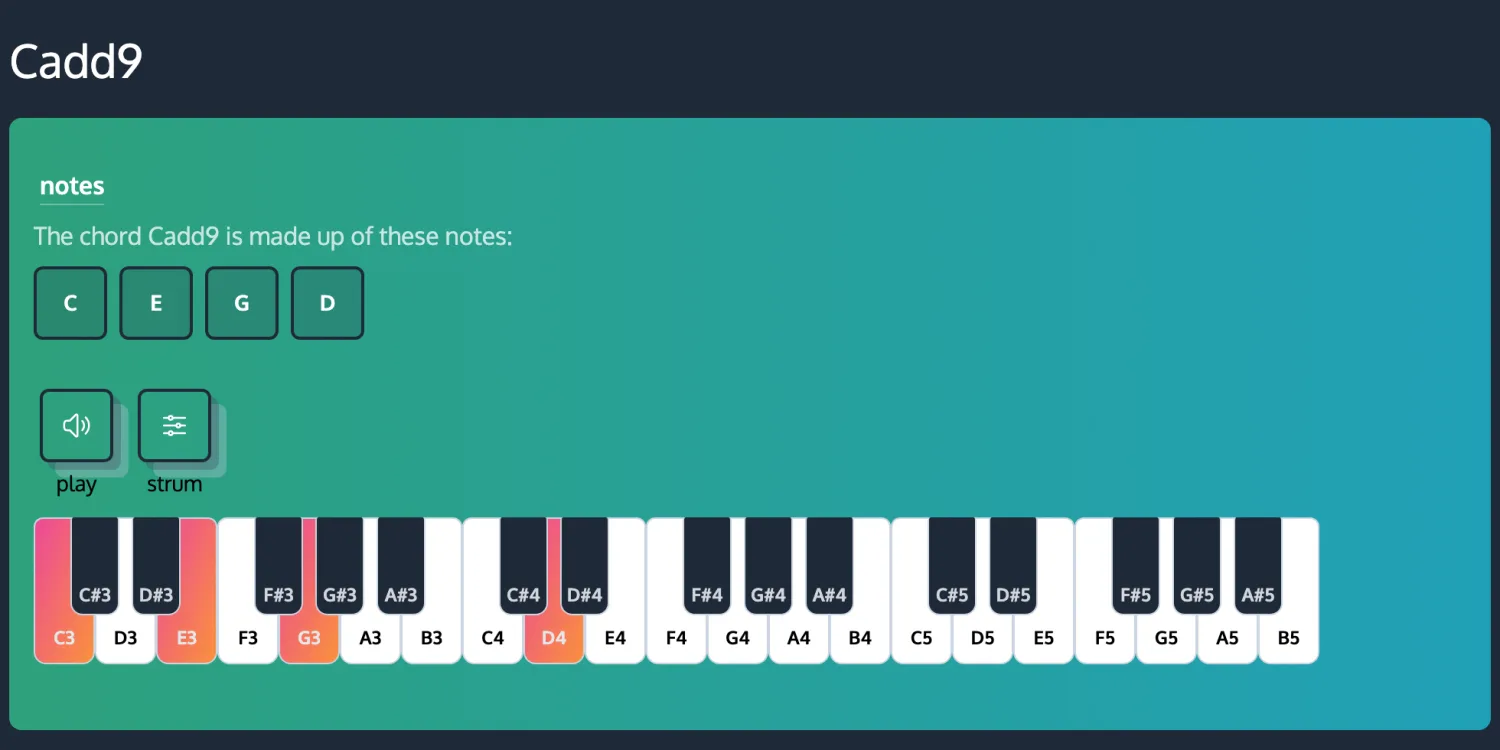
If a chord comes back that you cannot place, every chord has its own page with the notes spelled out and a play button: our chord finder guide explains how to read one.
Progressions that sit well under the fingers
These are all in open-position keys, so every chord is a shape rather than a barre. Press play on any of them.
G major, the folk and singer-songwriter default
E minor, darker, same shapes
A minor, the one that sounds like a campfire (with Fmaj7 standing in for F)
D major, with the sus moves built in
That last one is less a progression than a texture, and it is pure guitar: the chord never changes, only the note on the top string does. Sus chords covers what sus2 and sus4 are actually doing if you want the theory behind it.
For progressions that go further than four chords, six time-tested chord progressions works through the bVII and bVI moves that turn a predictable loop into something with a lift.
Capo, or transpose before you generate
You will sometimes get a progression you love in a key that does not suit your voice. Two ways out, and they are not equivalent.
Capo. Keep the shapes, move the pitch. Ask for the progression in G, put a capo at the third fret, and you are playing in Bb with G shapes. This is the right answer when the shapes are the point, which on acoustic guitar they usually are.
Transpose properly. Ask the generator for the key you actually want and take the chords it gives you. This is the right answer when you are writing for other instruments, or exporting MIDI, because a capo is a guitar convention that a MIDI file cannot express.
The common mistake is capoing and then exporting MIDI from the uncapoed progression, which puts the recording in the wrong key. Decide which key is the real one before you export.
Hearing it back with a guitar tone, and exporting it
The generator plays back on a grand piano by default, which is fine for checking the harmony and misleading for judging whether something works on guitar. Open the instrument selector and pick Acoustic Guitar (Nylon). It is a nylon-string sample rather than a steel-string strum, so treat it as a sketch of the voicing rather than a demo of the finished part, but it is much closer to the thing you are about to play.

Two exports matter once the progression is right:
- MIDI drops the progression into any DAW as actual notes, so you can double it with a pad, print a chord track, or re-voice it. Because it exports notes rather than shapes, what you get is the generator’s voicing, not your fingering.
- WAV gives you an audio bounce to play along with or drop into a voice memo of the idea.
If you are sketching rather than producing, neither is necessary. The progression, the key and four shapes are usually the whole point.
Quick answers
Can a chord progression generator show guitar chord diagrams? ChordCreate does not. It gives you chord names, the exact notes in each chord, a piano view and playback. For fretboard diagrams and tab you need a dedicated guitar tool alongside it.
What key should I ask for if I want easy guitar chords? G, D, A, E, C, E minor or A minor. Those keys keep most chords in open position, with two known exceptions: F in C major and B in E major, where guitarists substitute Fmaj7 and B7. Avoid keys with four or more flats unless you are happy barring.
Is an AI guitar chord generator better than learning progressions? It is faster, not better. A generator is most useful once you know enough shapes to play what it hands you, because then it works as an idea source rather than a crutch.
Can I use generated progressions in my own songs? Yes. Chord progressions are not copyrightable in themselves, and the four-chord loops a generator reaches for have been shared across thousands of songs already.
Why does the generator keep giving me Cadd9, Asus4 and Em7? Because extended and suspended chords sound richer than plain triads, and the model is optimising for sound rather than difficulty. On guitar they are usually a one-finger change from a chord you already know.